Mastering Decorative Flourishes with Swirls and Twirls Brushes for Procreate
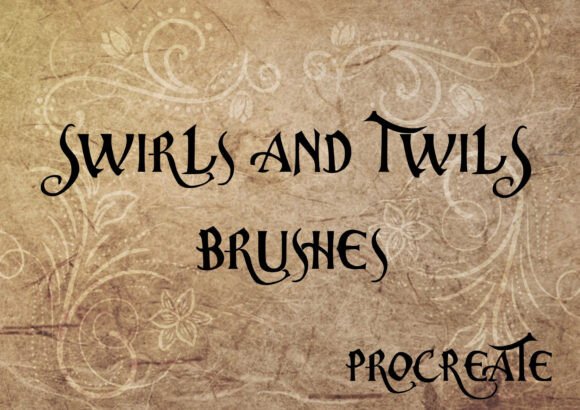
In the evolving landscape of digital illustration, efficiency often dictates the quality of a creator’s output. For graphic designers, lettering artists, and branding specialists working on the iPad, the ability to produce consistent, high-quality decorative elements quickly is a significant competitive advantage. This is where specialized toolsets like Swirls and Twirls Brushes - Procreate become essential components of a professional workflow. Rather than relying solely on manual drawing skills for every intricate curve, this collection offers a curated library of eleven hand-drawn assets designed to streamline the creation of ornamental details.
The core value proposition of this brush set lies in its balance between simplicity and sophistication. It includes a range of styles, from basic, clean lines suitable for minimalist designs to more complex, elaborate flourishes that can serve as focal points in a composition. By integrating these pre-made shapes into your digital toolkit, you reduce the time spent on repetitive vector-like drawing tasks, allowing you to focus more on composition, color theory, and overall design strategy.
The Composition and Versatility of the Brush Set
At first glance, a set of eleven brushes might seem modest compared to massive libraries containing hundreds of tools. However, the curation here is deliberate. The Swirls and Twirls Brushes - Procreate collection is not about quantity; it is about utility. The set is divided to cover various aesthetic needs, ensuring that users have access to both subtle accents and bold statements.
The inclusion of four specific decorative brushes that are "optimally tweaked" stands out as a critical feature. In standard Procreate usage, many stamp brushes are static—they place an image, and that is the end of the interaction. These four decorative brushes, however, are engineered for flexibility. They allow users to edit the swirls dynamically. This means you can adjust the length, rotation, and sometimes even the taper of the element to fit the specific spatial constraints of your project. This level of control transforms a simple stamp into a adaptable design component, bridging the gap between a static asset and a custom-drawn vector.
The range from simple to sophisticated ensures that the tool remains relevant across different project types. A wedding invitation designer might utilize the more intricate twirls to frame couple names, while a tech startup creating a modern logo might prefer the cleaner, simpler curves for a subtle background texture. This versatility makes the set applicable to a wide demographic of creators, from serious hobbyists exploring calligraphy to established marketing agencies producing client deliverables.
Technical Performance and Usability in Procreate
It is crucial to note that these assets work only with the Procreate app on iPad. This limitation is also a strength. Procreate’s engine handles brush dynamics differently than desktop software like Photoshop or Illustrator. These brushes are built specifically to leverage Procreate’s touch interface and Apple Pencil pressure sensitivity (where applicable for stroke-based variations). Users attempting to import these into other software will find them incompatible, so ensuring you are working within the iPad ecosystem is a prerequisite.
In terms of usability, the learning curve is minimal. For professionals accustomed to digital art tools, importing and testing new brushes is a routine task. The true test of quality, however, is consistency. When using stamp-style brushes for swirls, alignment and resolution are paramount. Low-resolution stamps can appear pixelated when scaled up, ruining the crispness required for print-ready materials. High-quality sets like this one maintain vector-like sharpness, ensuring that whether you are designing a small social media graphic or a large-format poster, the edges of your swirls remain clean and professional.
The "hand-drawn" nature of the brushes adds an organic feel that purely geometric digital shapes often lack. In an era where AI-generated art and perfect geometric vectors dominate, the slight imperfections and human touch inherent in hand-drawn swirls add warmth and authenticity to designs. This is particularly valuable for brands aiming to convey approachability, craftsmanship, or artisanal quality.
Practical Applications for Professionals and Creators
Who benefits most from Swirls and Twirls Brushes - Procreate? The answer spans several industries. Consider the following real-world scenarios:
- Wedding and Event Stationery Designers: Time is money in the invitation industry. Being able to drag and drop a perfectly balanced flourish around a monogram saves hours of manual bezier curve manipulation. The editable nature of the decorative brushes allows for custom fitting around unique name lengths.
- Logo and Brand Identity Specialists: Many boutique brands require logos with vintage or elegant aesthetics. These brushes provide immediate access to classic ornamental styles that can be customized to create unique brand marks without starting from scratch.
- Social Media Content Creators: Influencers and marketers often need to create visually engaging quotes or announcements. Adding a subtle twirl to a text overlay can elevate a simple post into a polished graphic, maintaining visual consistency across a feed.
- Educators and Workbook Designers: Teachers creating digital worksheets or educational materials can use simple swirls as section dividers or decorative borders, making learning materials more engaging for students without cluttering the layout.
For freelancers and small business owners, the long-term value of such a toolset is measured in hours saved. If a single project requires ten different flourishes, and each takes five minutes to draw and refine manually, that is nearly an hour of billable time spent on minor details. With a reliable brush set, that same task takes minutes. Over the course of a year, this efficiency gain translates into significant capacity for taking on more clients or focusing on higher-value creative tasks.
Evaluating Quality and Long-Term Value
When assessing any digital asset, one must consider reliability and presentation. A well-packaged brush set should include clear instructions or previews. While the Swirls and Twirls Brushes - Procreate set is straightforward, the user experience depends heavily on how well the brushes integrate into existing workflows. The fact that they are "optimally tweaked" suggests that the creator has tested these extensively to ensure they behave predictably under different stroke speeds and pressures.
However, there are limitations to acknowledge. Stamp brushes, by definition, can lead to repetitive patterns if overused. A common mistake among novice users is placing identical swirls multiple times in a single composition, which can make a design look templated rather than custom. To mitigate this, users should take advantage of the editing capabilities mentioned earlier. Rotating, flipping, and resizing the editable decorative brushes helps break up repetition and creates a more organic, bespoke look.
Furthermore, while these brushes excel in decorative contexts, they are not a replacement for fundamental drawing skills. Understanding spacing, balance, and visual weight is still required to place these elements effectively. The brushes are tools, not crutches. They enhance the work of a skilled designer but cannot compensate for poor compositional choices.
Final Recommendations for Integration
Integrating Swirls and Twirls Brushes - Procreate into your workflow requires a strategic approach. Start by experimenting with the four editable decorative brushes. Understand how they respond to scaling and rotation. Create a personal library of modified versions of these brushes if you find yourself frequently adjusting them in the same way. This customization further enhances the efficiency gains.
For those considering this purchase, evaluate your current project pipeline. If you frequently work on projects requiring ornamental details, typography enhancement, or vintage aesthetics, this set offers immediate practical value. If your work is strictly minimalist or geometric, the utility may be lower. However, having a versatile set of flourishes in your back pocket is rarely a wasted investment for any serious digital artist.
In conclusion, this collection represents a focused, high-quality resource for iPad-based creators. It respects the user’s time by providing ready-to-use, editable assets that maintain professional standards. By combining the organic charm of hand-drawn elements with the precision of digital tools, Swirls and Twirls Brushes - Procreate enables designers to elevate their visual communication with confidence and ease. Whether you are refining a brand identity or adding a final touch to a digital illustration, these brushes offer a reliable, efficient solution for achieving polished, decorative results.